Please read our frequently asked questions to find out more.
How Do I Choose the Right 3D Printer Build Plate?
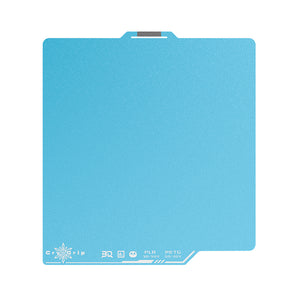
Choose a BIQU build plate based on your filament, desired finish, and printing needs. CryoGrip Pro Frostbite offers strong adhesion at low bed temperatures for PLA, PETG, and ABS, while Glacier supports a wider range of materials, including ASA, PA, and PC. PyroGrip is a durable textured PEI plate designed for reliable adhesion at recommended printing temperatures, with selected models offering smooth and textured surfaces. Designer plates are ideal for PLA, PETG, and TPU prints with distinctive patterned bottoms. Check printer compatibility and product specifications before purchasing.
How Do I Know If a Build Plate Is Compatible With My 3D Printer?
Check your printer model, build plate dimensions, magnetic mounting system, and plate specifications before ordering. BIQU offers build plates for selected Bambu Lab, Creality, Voron, and other compatible 3D printers. Compatibility varies by product, so review the supported printer models listed on each product page before purchasing.
What Is the Difference Between Smooth and Textured PEI Build Plates?
Smooth PEI build plates produce a smooth bottom finish, making them suitable for models that require a clean, flat appearance. Textured PEI plates create a matte, patterned finish and can offer a practical balance between first-layer adhesion and print release. The best option depends on your filament, desired surface finish, and the manufacturer's compatibility recommendations.
How Do I Clean and Maintain a 3D Printer Build Plate?
Allow the build plate to cool before removing prints or cleaning it. Use a cleaning method approved by the plate manufacturer to remove fingerprints, dust, and filament residue. Avoid abrasive tools and incompatible solvents that may damage the coating. For best results, follow the maintenance instructions for your specific build plate and filament.
Why Is My 3D Print Not Sticking to the Build Plate?
If your print isn't sticking to your BIQU build plate, make sure the surface is clean, the bed temperature is appropriate, and the first layer is properly calibrated. Different BIQU plates, including CryoGrip Pro, Designer, and PyroGrip, have specific filament compatibility and printing requirements. Check the recommended settings for your plate and filament to improve adhesion and achieve more reliable printing.